How to create a website
Don’t have a website? Shareables can host your widget as a standalone page.
Publish your widget
- Open your widget in the dashboard
- Click Publish
Choose your URL
After publishing, your widget gets a URL like bright-lion.shareables.ai.
Customize your subdomain — On any paid plan, you can change this to something branded like my-store.shareables.ai:
- Click the Share button to open the Share modal
- Go to the Domain tab
- Edit the subdomain field and click Save
You can also connect a custom domain (Pro+) to use your own domain name entirely.
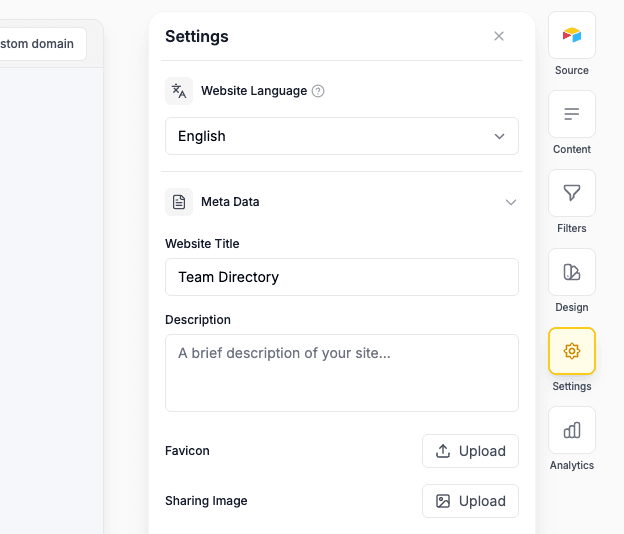
Customise your website
You can adjust the Website:
- Title
- Description
- Opengraph image
- Favicon Image
in the Settings tab of your widget
Hosted pages are perfect for sharing links on social media, in emails, or anywhere you need a direct link.
Last updated on
 Carrd
Carrd