App Store & Google Play Reviews
Show the public reviews for your app on your website. Paste the link to your app on the App Store or Google Play and Shareables pulls in the reviews, no developer account or API key needed.
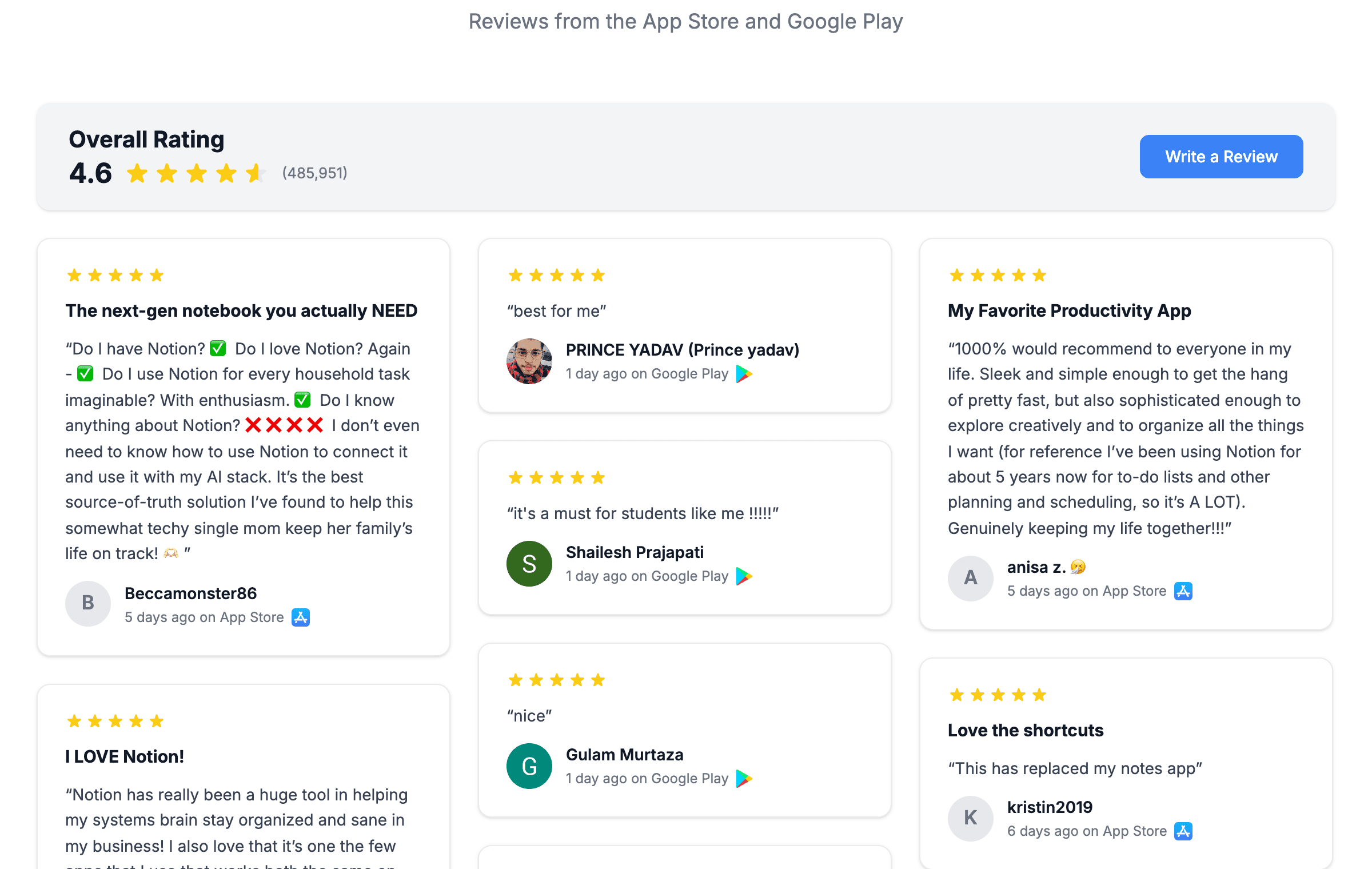
Review sources are available on the Testimonials widget only. They pull the same public reviews anyone can see on your app’s store page.
Connecting your app
The quickest route is one of the review templates.
Create a Testimonials widget
From your dashboard click Create widget, choose Testimonials, and pick one of the review templates:
- App Store Reviews
- Google Play Reviews
- App Store + Google Play Reviews (both stores in one wall)
Paste your store link
The template asks for your app’s store page straight away. Use the link you’d share with a customer, for example:
- App Store:
https://apps.apple.com/us/app/your-app/id123456789 - Google Play:
https://play.google.com/store/apps/details?id=com.yourcompany.app
The combined template asks for both links.
Choose where reviews come from (App Store only)
The App Store keeps separate reviews per country. Pick This country (the one in your link), English-speaking countries, or All countries. Google Play reviews are one worldwide pool, so there is nothing to choose.
Done
Your reviews load into the editor with the Overall Rating bar already switched on.
Adding a store to an existing widget
Already have a Testimonials widget? Open the Source tab, click Change data source, and choose the App Store or Google Play tile. To combine stores, click Add source under your existing review source and add the other store.
What gets pulled in
Each review becomes a card with a fixed set of fields:
| Field | Notes |
|---|---|
| Rating | 1 to 5 stars |
| Quote | The review text |
| Title | The review headline (App Store only, Google Play reviews have no title) |
| Author | The reviewer’s display name |
| Photo | Reviewer photo (Google Play only, the App Store does not provide photos) |
| Date | When the review was posted |
| Source | ”App Store” or “Google Play”, shown as a small badge on each card |
The fields are mapped for you. In the Testimonial tab you’ll see the Quote, Rating, Review title and Author slots already filled and locked.
The App Store only publishes written reviews. Star-only ratings with no text count toward your overall rating but don’t appear as cards. App Store reviewers also have no photos, so those cards show an initial, a silhouette, or the store icon depending on your No-photo fallback setting.
The Overall Rating bar
A full-width bar sits above the reviews with your average rating, star fill, and total ratings count as reported by the store. For a combined widget the average is weighted by each store’s ratings count.

Find it in the Testimonial tab under Review Header. Each row has a toggle and a paintbrush:
| Row | What the paintbrush edits |
|---|---|
| Heading | The text (default “Overall Rating”), size, weight, colour |
| Average rating | Number size, weight, colour, star size and colour |
| Ratings count | Size, weight, colour |
| Review button | Button text, link, colours, size, shape, weight |
The paintbrush next to the section’s own toggle styles the bar itself: background, corners, border and drop shadow, the same controls as the review cards.
The Write a Review button needs a link. Point it at your store page, a feedback form, anywhere you like. Without a link the button shows in the editor but goes nowhere, so set one before you publish.
The rating and count in the bar are captured when you connect the store and refreshed each time you open the editor after a few days. Publish to push the latest numbers to your live widget.
Showing only some reviews
Use Conditional Item Visibility in the Source tab. Add a rule such as Rating is at least 4 and only matching reviews are shown. The overall rating bar still reports the store’s full numbers.
To limit how many reviews load, use Max items in the Filters tab’s pagination settings.
How reviews refresh
Review sources refresh on a schedule, roughly every three days, rather than live. Shareables checks the store for new reviews, and if something changed the widget is republished automatically. There are no refresh settings to configure for review sources.
This cadence is deliberate. The stores limit how often anyone can fetch reviews, so a slow, steady schedule keeps your widget reliable. Clicking Refresh in the editor fetches the latest reviews on demand.
A review that was deleted on the store stays in your widget until the next full refresh.
Troubleshooting
”Enter a valid App Store URL” / “Enter a valid Google Play URL”
Paste the full store page link. App Store links need the id123456789 part; Google Play links need the ?id= package name.
No reviews loaded
Check the app has written reviews in the country you selected. If the store page shows ratings but no written reviews, there is nothing to pull yet. For the App Store, try All countries.
The wall shows fewer reviews than the store
The App Store only publishes written reviews, and only the most recent few hundred per country. Google Play returns the latest reviews, not every review ever posted.
My new review isn’t showing
Reviews refresh every few days. Click Refresh in the editor to fetch them now, then publish.
Overall rating looks out of date
The bar’s numbers update when you open the editor after a few days and publish again. Open the widget, wait a moment for the numbers to refresh, then click Publish.
Still stuck? Get in touch.