Testimonials Widget
Showcase customer testimonials, reviews, and quotes in beautiful layouts powered by your spreadsheet data, or by your app’s public reviews on the App Store and Google Play.
Have a mobile app? Paste your store link and show real reviews, no spreadsheet needed. See App Store & Google Play Reviews.
Layout Options
The Testimonials widget offers three layout modes. Switch between them in the Testimonial tab under Layout.
Wall of Love
A masonry grid that displays all your testimonials at once. Great for social proof sections.
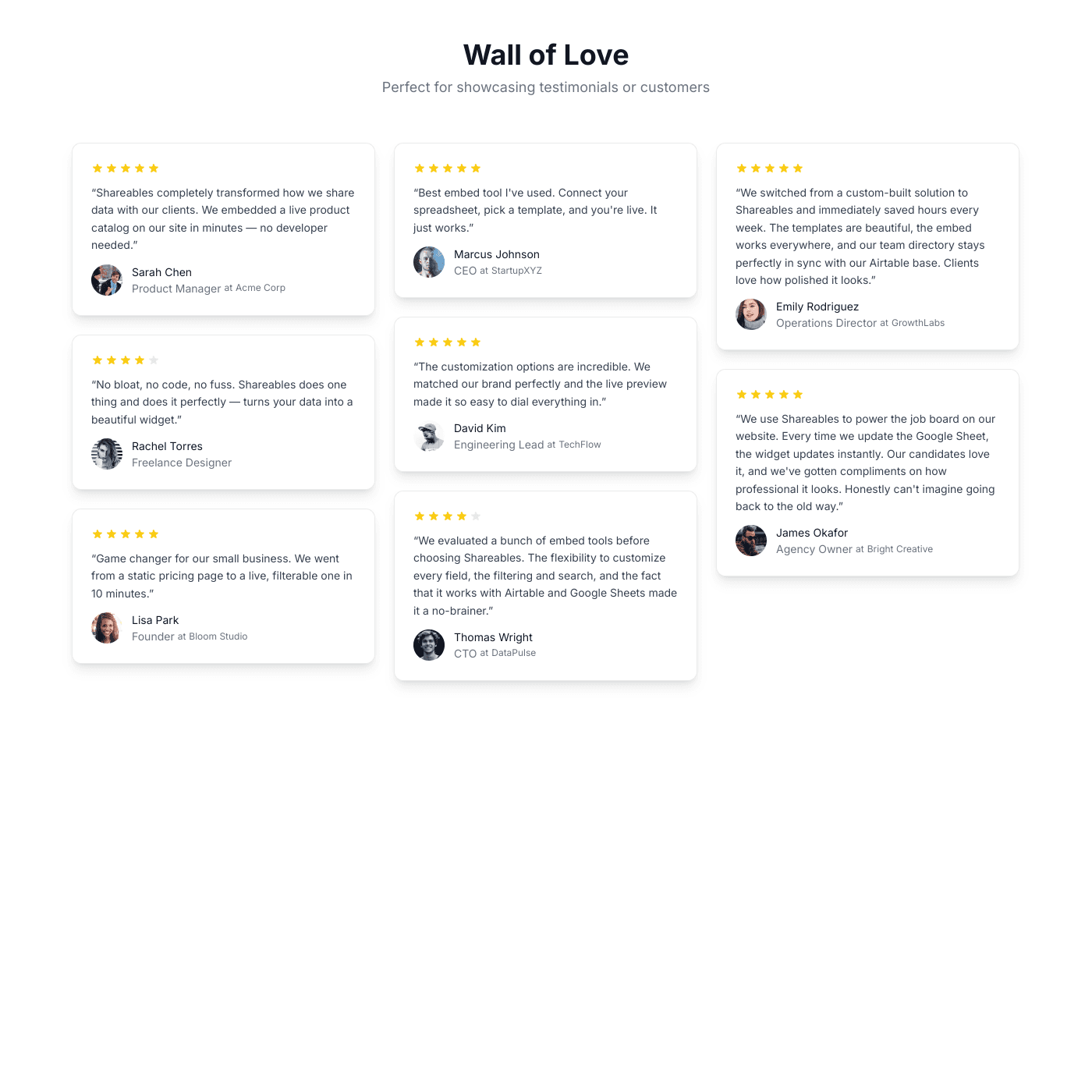
| Setting | Options |
|---|---|
| Columns | 2, 3, or 4 |
| Animated | Toggle continuous scrolling animation |
| Alignment | Left, Centre, or Right |
Carousel
A horizontal slider that cycles through testimonials. Ideal for highlighting featured quotes.
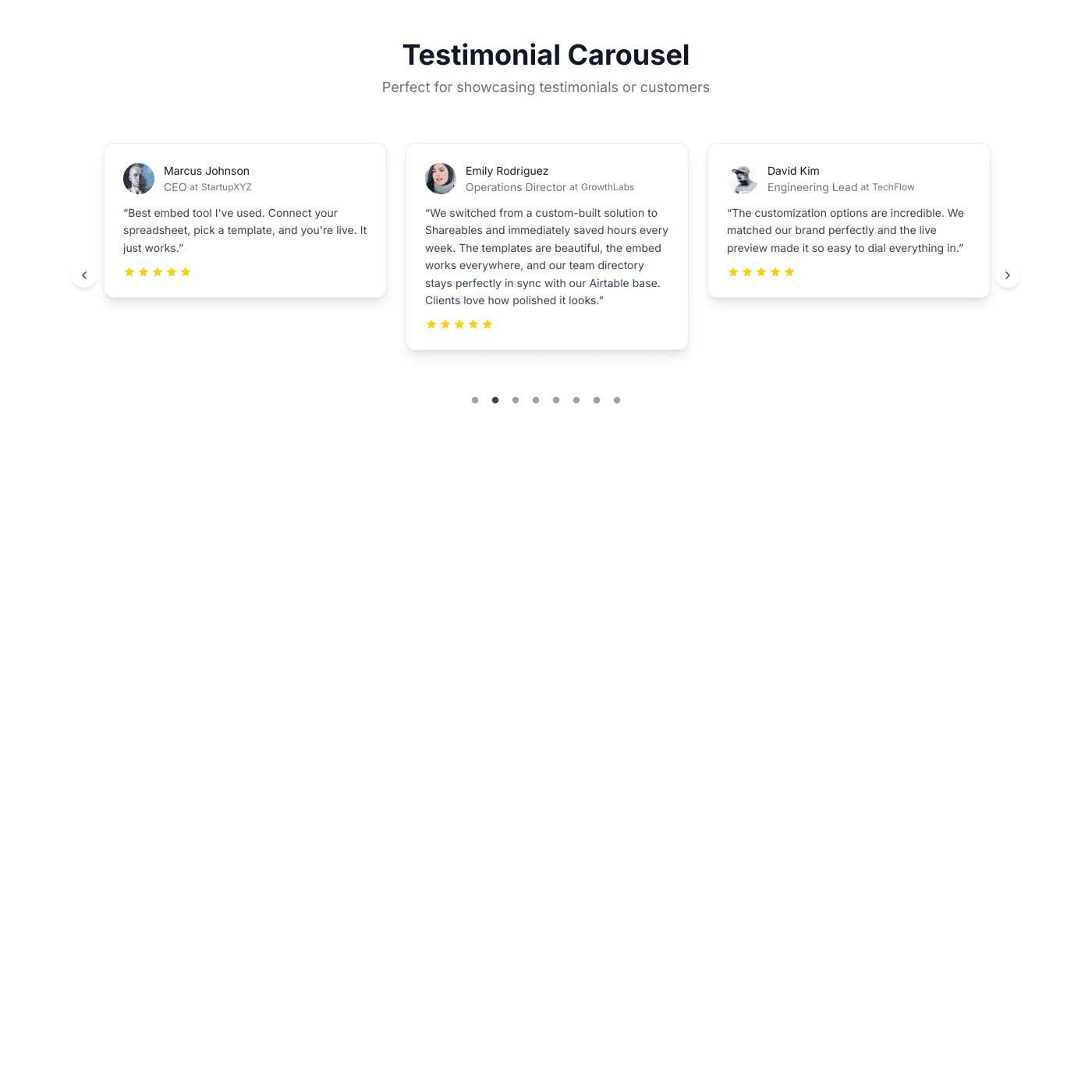
| Setting | Options |
|---|---|
| Visible cards | 1 to 4 |
| Show arrows | Toggle navigation arrows |
| Show dots | Toggle pagination dots |
| Autoplay | Toggle auto-advance |
Marquee
A continuous scrolling ticker that adds energy and movement to your page.
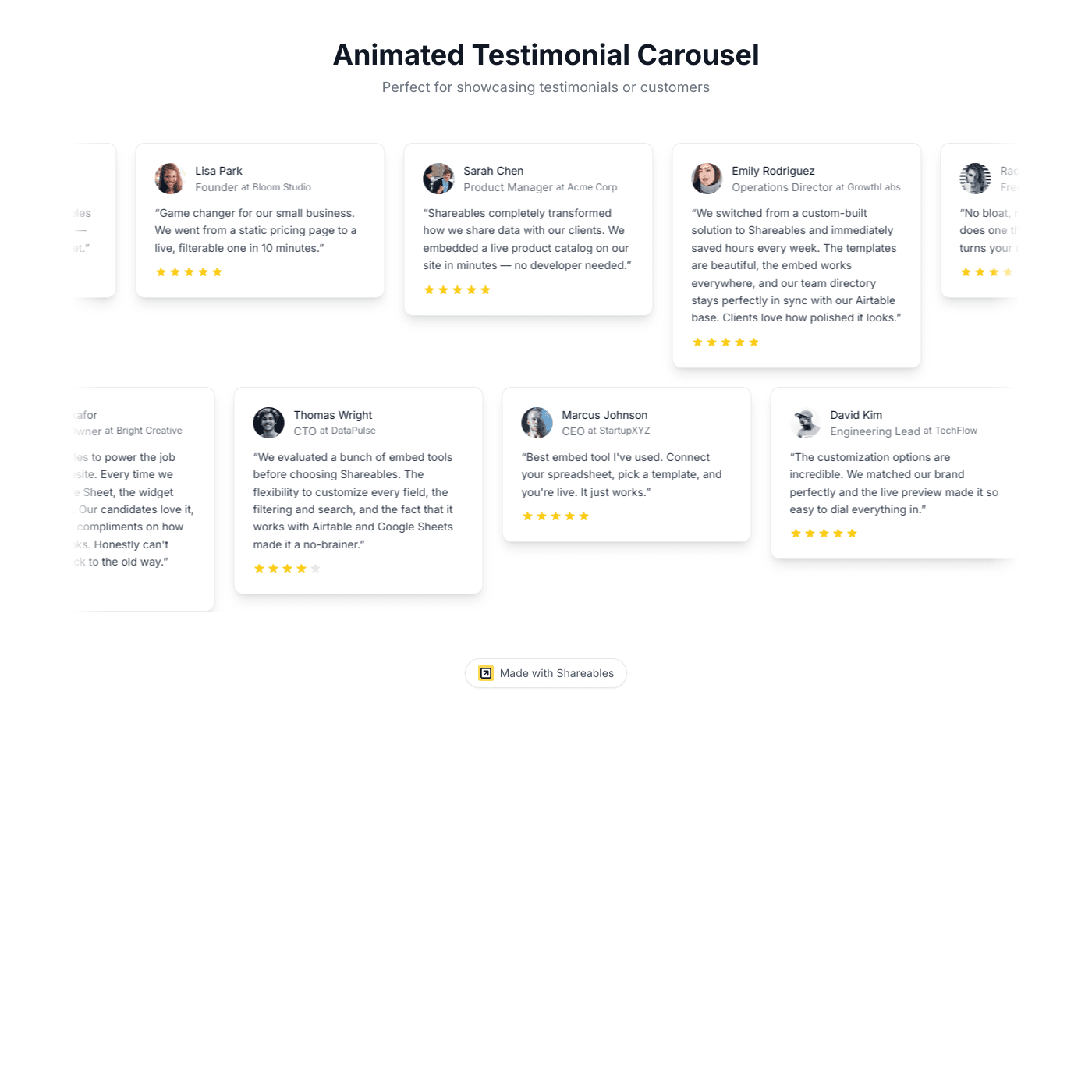
| Setting | Options |
|---|---|
| Rows | 2, 3, or 4 |
Common Settings
These settings apply across all layouts:
| Setting | Options |
|---|---|
| Speed | Slow, Medium, or Fast (for animated layouts) |
| Pause on hover | Toggle (default on) |
Content Order
Drag and drop to rearrange the order of elements on each testimonial card. The available sections are:
- Rating — Star ratings, hearts, or dots
- Quote — The testimonial text
- Author — Name, avatar, job title, and company
- Additional Fields — Any extra fields you want to display
Testimonial Fields
Quote
Map a column from your data source to the testimonial quote. You can customise:
- Font size, weight, and colour
- Italic styling
- Max lines (line clamp)
Rating
Display ratings as icons (stars, hearts, or dots) or as raw source values.
| Setting | Options |
|---|---|
| Display mode | Icons or Source |
| Icon type | Stars, Hearts, or Dots |
| Max rating | 3 to 10 (default 5) |
| Size | 12px to 32px |
| Filled colour | Custom colour |
| Empty colour | Custom colour |
Author Fields
| Field | Customisation |
|---|---|
| Name | Font size, weight, colour |
| Avatar | Size (24–80px), shape (circle, rounded, square), fit (cover, contain) |
| Job Title | Font size, weight, colour |
| Company | Font size, weight, colour |
Toggle the entire Testimonial or Author section on or off using the toggle next to the section header.
Card Styling
Click Styles & Settings in the Layout section to customise the card container:
- Container — Background colour and corner radius (0px, 6px, 12px, 24px)
- Border — Colour and width
- Drop Shadow — Size (sm, md, lg, xl)
Review Source
Shows where each testimonial came from, using a Source column (for example “App Store”, “Google Play”, or “G2”). Choose how it appears: as the avatar, as a small badge on the avatar, as a caption under the name with or without the store logo, or as a “Posted on” line. You can also pick what to show when a testimonial has no photo: a silhouette, the person’s initial, or the store icon.
Review Header
An optional full-width Overall Rating bar above the testimonials, with an average rating, star fill, ratings count, and a Write a Review button.

- With an App Store or Google Play source the numbers come from the store itself.
- With any other source the average is calculated from your mapped Rating column over the testimonials being shown.
Each part (heading, average rating, ratings count, button) has a toggle and a paintbrush for its text and styling. The paintbrush beside the section toggle styles the bar’s background, corners, border and shadow. The button needs a link of your own; it isn’t filled in automatically.
Filtering by rating
To show only your best testimonials, open the Source tab, expand Conditional Item Visibility, and add a rule such as Rating is at least 4. The same is at least and is at most rules work on any numeric column in any widget.
Additional Fields
Add extra content to your testimonial cards using the Additional Fields section. Supports text, headings, images, badges, links, buttons, dividers, files, embeds, and video.