How to add search to your widget
Allow your visitors to search through your widget data.
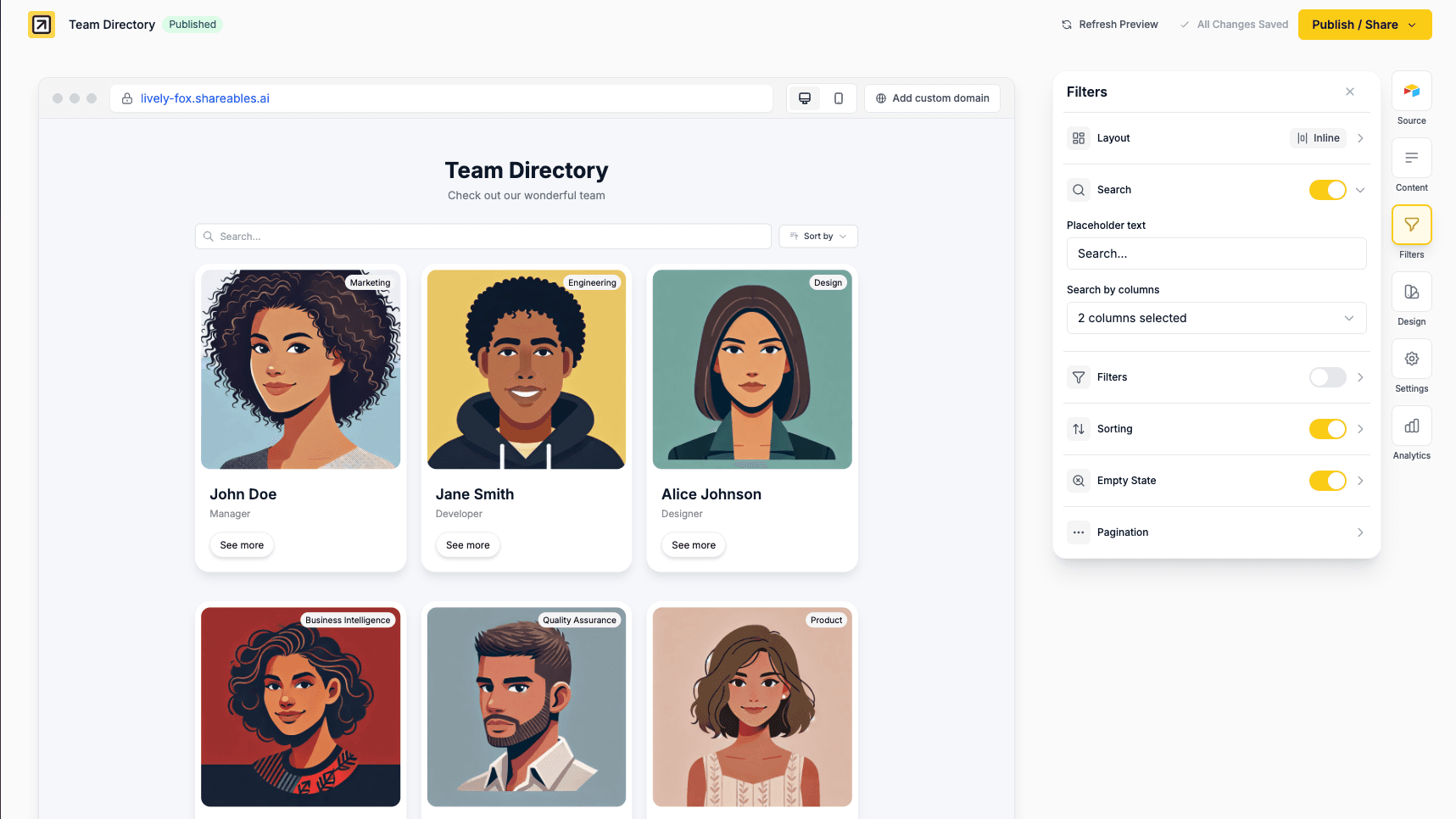
Adding Search
Search lets visitors quickly find specific records in your widget.
- Open your widget in the editor
- Go to the Filters tab in the right sidebar
- Expand the Search section
- Toggle search on
- Select which columns should be searchable
Search appears above your items, alongside filters and sorting if enabled.
Search Settings
Placeholder Text
Customise the placeholder text shown in the search box:
- “Search…”
- “Search products…”
- “Find a team member…”
Leave blank to use the default placeholder for your widget’s language.
Search by Columns
Select which columns visitors can search through. Only the columns you select will be included in search results.
Pro tip: Select only the most relevant columns (like name, title, description) rather than all columns. This keeps search results focused and relevant.
Search Behaviour
Search results update instantly as visitors type. Results show items where any of the selected columns contain the search term.
Customisation
Search, filters, and sorting share the same layout and styling options.
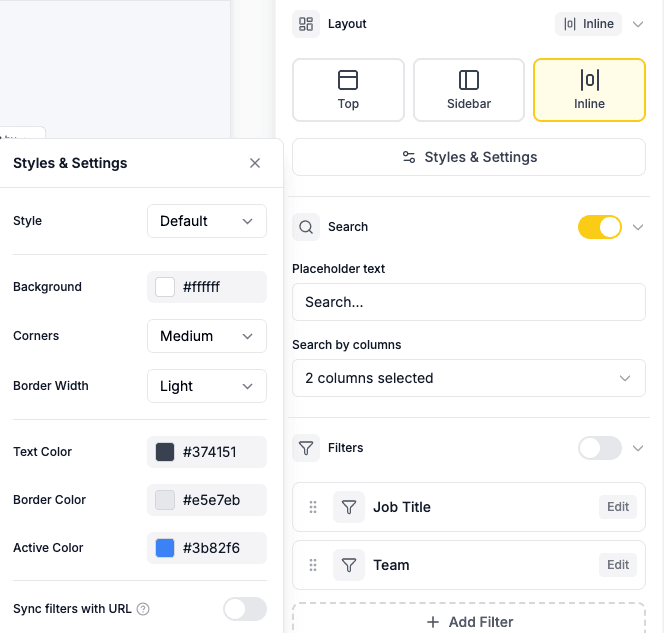
Layout
Choose where search appears in your widget:
- Top - Search bar appears at the top, above your items
- Sidebar - Search appears in a sidebar on the left
- Inline - Search appears inline with filters and sorting
Styles & Settings
Click Styles & Settings in the Layout section to customise the appearance:
- Style - Default or custom styling
- Background colour - Set a background colour for search/filter controls
- Border - Adjust border radius, width, and colour
- Text colour - Change the text colour
- Active filter colour - Colour for selected/active states
No Results Found
When a search returns no results, you can customise the message shown to visitors. See Empty State for more details.
Widget Language
Search placeholder text automatically adjusts based on your widget language setting. Custom placeholder text will override the automatic translation.
Related
- Filters - Let visitors filter data by specific criteria
- Sorting - Allow visitors to reorder data
- Pagination - Control how many items display at once
- Widget Language - Change the language of your widget